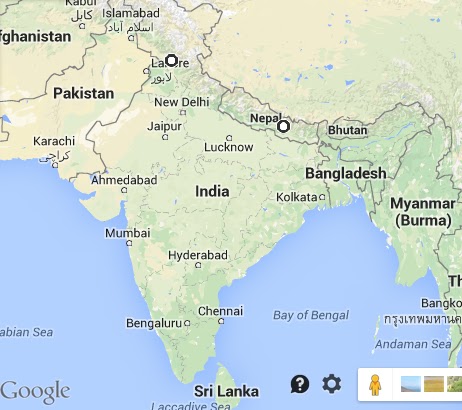
While in Nepal last year I collected audio, video, and still images I could later assemble into multimedia pieces. I then used them to create videos about NGOs Bo Gangkar Manjushree School and Kopan Monastery.
I thought I would explain how these videos were done for the benefit of my fellow self taught, budget filmmakers. I am definitely not an expert. This is just how I did it.
First, equipment.
I used a Zoom Q3 pocket video camera because the audio quality is superior to other pocket video cameras. Zoom no longer makes the Q3 so I bought mine used on eBay for $52 plus $9.95 for shipping.
I could operate the Q3 by powering it with two AA batteries. I read I could film continuously for 30 minutes on one pair of batteries. So I traveled to Nepal with at least six Sanyo brand Eneloop rechargeable AA batteries and an accompanying wall rechargable battery charger purchased as a set at Costco.
(Note: the Q3 battery cover latch broke so I now hold the cover onto the camera using that piece of thin white elastic seen wrapped around the camera body. No big deal.)
If I had access to an electrical outlet while filming then I could operate the Q3 by connecting the Q3 to the electrical outlet using the AC wall charger that comes with the Q3 without having any batteries in the camera.
Another benefit of filming with the Q3 is that I could monitor the audio while filming using the Q3's external headphone jack and a pair of earbuds. I purchased the Panasonic PARPTCM125A from B&H for $12.35 and really like them.
The Q3 stores audio and video files on an external memory card, same as those used in digital cameras. I purchased a Sandisk brand 32GB 30mb/sec Class 10 ultra SDHC card (now discontinued) from B&H for $17.95. The benefit of using a card that holds 32GB is that if you are not traveling with a laptop and external hard drive, then you will still be able to record and save a lot of material. I read each hour of film would require 2GB of memory. If that is true then a 32GB card should be able to hold 16 hours of film.
Even though the Q3 can be used all by itself by just standing it up on a flat surface I chose to travel with the ultra pod table top tripod by Pedco purchased from B&H for $11.99.
The Q3 was versatile because of the high quality microphones built into the Q3. (The Q3 is made by the company Zoom, known for its stellar audio recorders such as the comparatively much more expensive H4n.) The Q3's microphones can be used to record audio while filming, or can also be used to simply record audio tracks.
If I had filmed outside then I would have wanted to cover the Q3's microphones housed at the top of the Q3 with a fake fur windscreen to muffle background noise such as wind.
Why spend money on this? My mom hand sewed one for me using a scrap of light grey fake fur and a short piece of white elastic purchased at recycled craft store SCRAP PDX. DIY using YouTube. (Please ensure you are buying fake fur.)
For still photography, I used the point and shoot pocket size digital camera I already had and love - Canon Powershot s90 - purchased used on craigslist in 2011 for $260. (I see you can now get it on eBay for less than $100.) Since it's so small and light I could easily keep it in my day bag and snap photos in Nepal when inspired without drawing attention to myself.
Video Editing
All of the tools I used to make the Bo Gangkar Manjushree School and Kopan Monastery "HD" quality videos are available for free on the web.
- Windows Movie Maker 2012
- Audacity
- Microsoft Expression Encoder 4 with service pack
- Picmonkey
- Any Video Converter
- Wikimedia Commons
- 16:9 Aspect Ratio Calculator
I will walk you through the steps I took to make the Kopan Monastery video. I used a slightly different process to create the Bo Gangkar Manjushree School video and will explain as we go along.
First, note that once you start editing a video in Windows Movie Maker, you cannot move the files you have added to Windows Movie Maker around on your computer until after you have finished your video project. So make sure you neatly organize your files before you even open Windows Movie Maker to begin your editing project.
Step 1:
Since some of the audio tracks I wanted to use in the Kopan Monastery video were recorded at particularly low volume, I needed to increase the volume of those tracks before adding the audio files to Windows Movie Maker.
First, I had to convert the audio files from .WAV format to MP3 format before I could import the audio files into Audacity for editing. I converted the audio tracks from .WAV to MP3 using Any Video Converter.
I then increased the volume of the audio tracks one at a time using Adacity and then saved the new tracks in my "Audio" folder on my desktop. This YouTube video explains how to maximize the volume of an audio track without ruining the sound quality.
Step 2:
Knowing that I would want to create an "HD" or "Full HD" quality video in Windows Movie Maker for uploading to YouTube, I assessed the video files I had to work with for this project. I considered whether or not I should edit the resolution of each video file.
Video cameras for sale can give you one or more of these filming options:
Video cameras that only film in Option C settings will produce video images that are the size of the pink box. When uploaded to YouTube these videos will have letterboxing (black bars) around the sides of the image.
To make videos for YouTube that do not have letterboxing, you will want to film in Option A or Option B settings so you can get image sizes that are the size of the blue or green boxes above.
While Option A and Option B settings give you different size images (green vs blue) I think the video clips they both produce perform the same when uploaded to YouTube. They both give you an "HD" quality video that fills the entire screen. (No letterboxing.)
The trouble is, not all video cameras allow you to film in Option A or B settings. Some video cameras only allow you to film in Option C settings, which is not "HD."
For example, in my case the Zoom Q3 came in a "standard definition" model simply called the "Zoom Q3" and an "HD" model called the "Zoom Q3 HD." Since I bought the less expensive Zoom Q3 in keeping with my goal of creating budget films I am stuck with recording in Option C settings.
If you also have a video camera that only films in Option C settings but have a Mac computer then this is less of a problem. You can upload your Option C video footage to iMovie and then use the Ken Burns effect to transform your video footage into "HD" size video footage.
However, if you are using a PC and are therefore using freeware Windows Movie Maker and want to transform your video footage into "HD" size then you will need to use another freeware program MPEG Streamclip.
I really like Joe Crisco's How To video but here's another explanation of how to use MGEG Streamclip.
If you are not using freeware to make your video but are instead using Final Cut Pro then there is another way to creatively transform your video into "HD" size.
However, if like me you are using freeware and you do not want to crop and/or degrade the quality of your original video file using iMovie or MGEG Streamclip then come to terms with the fact that your "standard definition" video clips can still be used to make a "HD" video but the video clips you use in that "HD" video will have letterboxing when viewed on YouTube. That's what I finally did.
Next, I needed to convert all of the video clips from the WAV format they were filmed in on the Q3 to a format accepted by Windows Movie Maker. I used Any Video Converter to convert each WAV file into a WMV file.
I then saved all of these WMV video files in my "Video Clips" folder on my desktop.
Step 3:
I decided on a title for my Kopan Monastery "HD" video and then created the opening credits for my video using PicMonkey. I did this by adding the text to a "transparent canvas" that I made "HD" size, 1920 x 1080.
I wrote down the name of the font I used as well as the color wheel numbers for all of the colors I used in the PicMonkey graphics. If you forget to write down the color wheel numbers then you can try using this website to identify those numbers later.
Next, you need to assign a size to your transparent canvas before you can save it. You could size it in keeping with either Option A or Option B's settings. It doesn't really matter because both Option A and Option B produce "HD" quality files. Option B just produces a larger file size, 1920 x 1080 as compared with Option A's 1280 x 720 file size. So I just chose to use the larger, better quality Option B file size when assigning a size to my transparent canvas.
I then saved the graphic to my "Photos" folder on my desktop as a PNG file.
Note that I chose to use one of the free fonts that comes with PicMonkey but you can get much fancier than that by using a font from DaFont.com. Learn how to use DaFont with PicMonkey here. After downloading your chosen fonts make sure to install the fonts on your computer.
Step 4:
While I was making the opening credits I took a few minutes to create a custom thumbnail graphic for my Kopan Monastery "HD" YouTube video.
Pick a still photo from your photo collection that you want to use as the custom thumbnail graphic. Upload that photo to PicMonkey. Resize the photo to 1920 x 1080 in keeping with Option B settings for "HD" video.
Then select the option to add "your own" overlay. Click on "my computer" and then select the PNG file you created in Step 3. (In my case that was the yellow and gold colored text you see below.) You can then reposition the text over the photo.
When you are happy with the way the text looks over the photo, save the graphic to your "Photos" folder on your desktop as a JPEG file.
Step 5:
I next added the opening credits graphic I created in Step 3 to my Kopan Monastery video project using Microsoft Expression Encoder 4 with service pack. I did that by following these instructions.
I then saved ("encoded") the newly finished video file with the opening credits graphic overlay in my "Video Clips" folder on my desktop.
Fortunately, just like Microsoft Word, the freeware I am demonstrating here - Microsoft Expression Encoder 4, Windows Movie Maker, and Audacity - allow you to frequently save your projects as you are working on them. Just like with Microsoft Word, if you save the project then you can close the program when you need to take a break, and then return to your project at a later time and continue working on the project.
However, the project saving process works a little differently in this freeware as compared with Microsoft Word. When you save a project in this freeware, you are simply saving a link to the project housed within the freeware. You are not downloading and saving a file to your computer's hard drive.
This is the reason you cannot move your photos, audio, or video clips around on your computer while you are still working on the project in the freeware. If you move a file between work sessions then when you reopen the freeware the freeware will not be able to locate the files used in the saved project.
I created a "saved projects" folder on my desktop to house the saved project files. To resume editing a project in one of these freeware programs, simply click on the saved project file on your desktop. The freeware will open to where you left off with that given project.
Step 6:
Next, I selected the still photos I wanted to use for the Kopan Monastery "HD" video. Fortunately, I personally took 99% of the still photos I felt I needed to use to illustrate the story.
However, this was not the case when I made the Bo Gangkar Manjushree School video. I found the photos I needed by performing keyword searches on Wikimedia Commons.
Each time I downloaded a photo from Wikimedia Commons, I had to make note of the photo's URL so that I could later go back and retrieve the details I would need to credit the photographer. Each time you use a Creative Commons photo you need to credit the photographer in the manner specified by that photographer.
Attribution rules and creative ways to satisfy those rules are helpfully laid out on wiki.creativecommons.org and creativecommons.org.au.
I created a Google Docs spreadsheet to keep track of the attribution information for each photo I planned to use in my Bo Gangkar Manjushree School "HD" video. This spreadsheet was incredibly helpful.
You might notice I used the free program Bitly to shorten URLs in preparation for their inclusion in the Bo Gangkar Manjushree School "HD" video credits that roll at the end of the video.
Step 7:
Next, I prepared the still photos I had selected for use in the Kopan Monastery "HD" video. I performed all of my photo editing in PicMonkey.
At minimum, each photo had to be resized from its original file size to "HD size" before I could upload the photos to Windows Movie Maker. By doing this, I was able to force my photos to fill the entire screen in my YouTube video, instead of letterboxing like the video clips that I chose not to force into "HD size" using MPEG Streamclip.
As pointed out earlier, if you want your video or still photo file to be "HD" and fill the entire YouTube screen (no letterboxing) then you will need to make your file "HD" size. This means your file must follow the settings for Option A or Option B listed above since both options produce "HD" size files. Since both Option A and Option B list a file resolution of 16:9, your file can be any size, but the file size has to comply with the 16:9 resolution rule.
Math skills are not needed in order to satisfy this rule. You can simply use my new favorite tool, the 16:9 Aspect Ratio Calculator alongside PicMonkey.
Upload your photo to PicMonkey. Determine the ideal width of the image, depending on how much (if any) of the image you want to crop out. Then take the width number of your desired image and paste it into the 16:9 Aspect Ratio Calculator. The calculator will then tell you the height you will need to use for that particular photo in order to alter it the way you want while still maintaining the 16:9 ratio.
Even if you do not want to alter the photo by cropping etc you will still need to upload the photo to PicMonkey and utilize the 16:9 Aspect Ratio Calculator to resize the photo to 16:9 ratio. If you are instructed to crop the photo in order to comply with the 16:9 aspect ratio then do it. If you do not, then your photo will be letterboxed when you upload your video to YouTube.
Alternatively, you can play around with the photo in PicMonkey, cropping and overlaying the photo over a background to create the desired effect while still keeping a 16:9 aspect ratio. I found inspiration in these ideas for creative video clip editing.
Then save your resized photos in your "Photos" folder on your desktop.
Note that if you alter a photo downloaded from Wikimedia Commons for inclusion in your video - by cropping the photo, for example - then you will need to make note of that in your video credits. Explore the links listed in Step 6.
I should also include a disclaimer that I am not an expert on how to attribute Creative Commons works. I simply did my best to follow the rules when I made my own videos. You should do your own research before making use of and attributing Creative Commons works.
Step 8:
After completing the above steps I was able to begin creating my "HD" video in Windows Movie Maker.
I opened Windows Movie Maker and before doing anything else made sure to set the video format to "HD" by going to "Project" and selecting "Widescreen (16:9)".
I then started importing my saved video clips and photo files from the "Video Clips" and "Photos" folders on my desktop into Windows Movie Maker.
I made sure to save my project frequently as I worked on it in Windows Movie Maker. I saved those project files in my "saved projects" folder on my desktop for easy retrieval.
Each time I saved the project, I gave the file a brand new name. For example the 20th time I saved the Kopan Monastery "HD" video project, I titled it "Kopan - 20". This way, I could easily open an earlier version of the project if I chose to do so.
Step 9:
I invested a lot of energy into editing down the length of my video project. I would trim video clips until I thought I couldn't trim out another second without degrading the story. Then I would take a break, and walk away from the computer. Then I would come back and trim some more.
Step 10:
I found it is essential to finish editing the visual elements of the story before starting work on the soundtrack. I will not go into a thorough overview of how I use Windows Movie Maker. There are so many good Windows Movie Maker tutorials on YouTube. I found this tutorial by Simon Davis on how to integrate still images into my video project particularly helpful. I also liked Es Her Mess' tutorial on how she uses overlays created in Microsoft Expression Encoder.
Step 11:
Next, I gathered together all of the audio clips I would need to make my "HD" video.
I had some audio assets I had recorded in Nepal using my Zoom Q3's audio recording feature. If necessary I could have also extracted audio segments from the video clips I had recorded on my Q3.
You can also download Creative Commons licensed sounds from these Creative Commons sound websites and then attribute the audio files to the artists who shared them with you in your video credits. See Step 6.
Step 12:
I then imported my audio files into Windows Movie Maker. I arranged and edited my audio files in Windows Movie Maker by aligning the various audio clips with the video clips and photos.
Unfortunately it is not possible to "lock" an audio file to a video clip in Windows Movie Maker. So if you move a video clip from one part of the video to another, then you will have to manually move and then realign the corresponding audio clip, and vice versa. I have found this to be one of the most time consuming aspects of video making in Windows Movie Maker.
Once I finished editing the video and audio mix, I carefully went through the entire video to ensure all of the small details are correct. I double checked the audio levels, transitions between video elements, video segment audio levels and fade in and outs, and the audio mix where the audio from video segments overlaid imported audio segments.
I only moved on to the next step when I felt the video reflected the story I wanted to tell and was just about ready to put on YouTube.
Step 13:
I then added the movie credits at the end of the film. I used Windows Movie Makers' built in credits feature for the Bo Gangkar Manjushree School video because I wanted the long list of credits to scroll vertically up the screen in the traditional Hollywood style.
I used PicMonkey to create simple graphics for use as credits in the Kopan Monastery video. By making my own credits I was able to repeat the PicMonkey font style and colors I had used in the opening credit graphics.
Step 14:
I then worked with and finalized the video's soundtrack using Audacity.
I extract the audio from my video project as one single, long audio file by following the steps outlined in Simon Davis' tutorial. I saved the audio track in my "Audio" folder on my desktop.
Next I used Any Video Converter to convert that saved audio track into a WAV file. I saved that WAV file in my "Audio" folder on my desktop. I was then able to import that WAV file into Audacity so I could edit my video's soundtrack.
Step 15:
My main goal was to increase the volume of the soundtrack for better playback in YouTube. Before I could optimize the overall soundtrack volume, I first had to even out the different parts of the soundtrack so that the soundtrack would play at about the same volume from start to finish.
Unfortunately I could not find a quick and painless way to even out the volume of the audio track. You have to work your way through the soundtrack from 00:00 minutes until the end, increasing or decreasing the volume in small segments using your eye to ensure the audio track segments are all at the approximately same volume level. eLearningExpert explains how to do that in this tutorial.
I found a bit of a necessary shortcut. The first and third segments of the audio track were so flat (low volume) that it was difficult to manually work with those segments' sound waves.
I highlighted the first significantly lower segment and used the Amplify feature to increase the sound of just that one segment. Andrew Mercer's tutorial covers how to properly use the Amplify function without distorting the soundtrack quality.
While that made it easier to work with those two segments' sound waves, the volume was then too high for those segments in relation to the unamplified segments. So I then had to lower the volume of the amplified segments in order to even out the overall soundtrack volume. However, it was still a good shortcut.
I then followed Barry Graves' tutorial for some finer points on how to fade in and out segments of the audio track. Although not explained in the tutorial I found I could use the fade in and out feature to smooth out the transitions between different segments of the Kopan Monastery "HD" video soundtrack.
After all of that meticulous manual editing, the audio track looked like this.
The overall volume was still too low for viewers who would be listening to the Kopan Monastery "HD" video soundtrack on their laptops, iPads or smartphones, but the volume level was now at least consistent from 00:00 through until the end of the audio track.
I then amplified the entire track as one single unit following Andrew Mercer's advice, thereby ensuring I maximized the sound volume without allowing the sound to "clip."
I then saved the final edited and amplified audio file as a WAV file in my "Audio" folder on my desktop.
Step 16:
I then imported the WAV file I created in Audacity into my Windows Movie Maker project.
I then made sure the audio levels for all of the video clips in the project were set to zero, so that only the imported audio track that now overlaid the video and photo clips would be audible by viewers.
I watched the video from start to finish to ensure it played smoothly, and then exported the video from Windows Movie Maker, saving it on my hard drive as a video file. (This is different than saving the project. Now, you are finally saving the actual movie file to your hard drive. It is time to celebrate.)
Next, I uploaded that video file to my YouTube account.
There are a variety of opinions out there on what are the best settings to use when saving your video for uploading to YouTube. I found this advice from the Windows team, which was also echoed by the YouTube team. Someone else suggested these custom settings.
Whatever settings you choose, just make sure to download the video file first and then manually upload the file to YouTube instead of clicking on the social media shortcut buttons found in Windows Movie Maker.
If you are having trouble uploading your video file to YouTube then check to see if your file type is compatible with YouTube. If it is not then easily convert your video file to a YouTube compatible file type using Any Video Converter.
Best of luck with your budget "HD" video projects.
I thought I would explain how these videos were done for the benefit of my fellow self taught, budget filmmakers. I am definitely not an expert. This is just how I did it.
First, equipment.
 |
| Video making equipment. |
I used a Zoom Q3 pocket video camera because the audio quality is superior to other pocket video cameras. Zoom no longer makes the Q3 so I bought mine used on eBay for $52 plus $9.95 for shipping.
I could operate the Q3 by powering it with two AA batteries. I read I could film continuously for 30 minutes on one pair of batteries. So I traveled to Nepal with at least six Sanyo brand Eneloop rechargeable AA batteries and an accompanying wall rechargable battery charger purchased as a set at Costco.
(Note: the Q3 battery cover latch broke so I now hold the cover onto the camera using that piece of thin white elastic seen wrapped around the camera body. No big deal.)
If I had access to an electrical outlet while filming then I could operate the Q3 by connecting the Q3 to the electrical outlet using the AC wall charger that comes with the Q3 without having any batteries in the camera.
Another benefit of filming with the Q3 is that I could monitor the audio while filming using the Q3's external headphone jack and a pair of earbuds. I purchased the Panasonic PARPTCM125A from B&H for $12.35 and really like them.
The Q3 stores audio and video files on an external memory card, same as those used in digital cameras. I purchased a Sandisk brand 32GB 30mb/sec Class 10 ultra SDHC card (now discontinued) from B&H for $17.95. The benefit of using a card that holds 32GB is that if you are not traveling with a laptop and external hard drive, then you will still be able to record and save a lot of material. I read each hour of film would require 2GB of memory. If that is true then a 32GB card should be able to hold 16 hours of film.
Even though the Q3 can be used all by itself by just standing it up on a flat surface I chose to travel with the ultra pod table top tripod by Pedco purchased from B&H for $11.99.
The Q3 was versatile because of the high quality microphones built into the Q3. (The Q3 is made by the company Zoom, known for its stellar audio recorders such as the comparatively much more expensive H4n.) The Q3's microphones can be used to record audio while filming, or can also be used to simply record audio tracks.
If I had filmed outside then I would have wanted to cover the Q3's microphones housed at the top of the Q3 with a fake fur windscreen to muffle background noise such as wind.
 |
| Fake fur windscreen for sale on eBay for $29.90. |
Why spend money on this? My mom hand sewed one for me using a scrap of light grey fake fur and a short piece of white elastic purchased at recycled craft store SCRAP PDX. DIY using YouTube. (Please ensure you are buying fake fur.)
For still photography, I used the point and shoot pocket size digital camera I already had and love - Canon Powershot s90 - purchased used on craigslist in 2011 for $260. (I see you can now get it on eBay for less than $100.) Since it's so small and light I could easily keep it in my day bag and snap photos in Nepal when inspired without drawing attention to myself.
Video Editing
All of the tools I used to make the Bo Gangkar Manjushree School and Kopan Monastery "HD" quality videos are available for free on the web.
- Windows Movie Maker 2012
- Audacity
- Microsoft Expression Encoder 4 with service pack
- Picmonkey
- Any Video Converter
- Wikimedia Commons
- 16:9 Aspect Ratio Calculator
I will walk you through the steps I took to make the Kopan Monastery video. I used a slightly different process to create the Bo Gangkar Manjushree School video and will explain as we go along.
First, note that once you start editing a video in Windows Movie Maker, you cannot move the files you have added to Windows Movie Maker around on your computer until after you have finished your video project. So make sure you neatly organize your files before you even open Windows Movie Maker to begin your editing project.
 |
| I created a folder on my desktop called "Kopan Video" for all of the assets I would be using to make the Kopan Monastery video. I then created these subfolders to organize the assets I would be using in the video. |
Step 1:
Since some of the audio tracks I wanted to use in the Kopan Monastery video were recorded at particularly low volume, I needed to increase the volume of those tracks before adding the audio files to Windows Movie Maker.
First, I had to convert the audio files from .WAV format to MP3 format before I could import the audio files into Audacity for editing. I converted the audio tracks from .WAV to MP3 using Any Video Converter.
I then increased the volume of the audio tracks one at a time using Adacity and then saved the new tracks in my "Audio" folder on my desktop. This YouTube video explains how to maximize the volume of an audio track without ruining the sound quality.
Knowing that I would want to create an "HD" or "Full HD" quality video in Windows Movie Maker for uploading to YouTube, I assessed the video files I had to work with for this project. I considered whether or not I should edit the resolution of each video file.
Video cameras for sale can give you one or more of these filming options:
Option A:
1280 x 720
16:9 resolution
720p
This is called "HD"
Option B:
1920 x 1080
16:9 resolution
1080p
This is called "FHD" or "Full HD"
Option C:
640 x 480
4:3 resolution
480p
This is called "nHD" or "Standard Definition"
Each option produces a different size video image on your computer screen:
 |
| Option C produces the pink box. Option B produces the blue box. Option A produces the green box. This graphic was taken from a webpage that thoroughly and clearly explains this principle. |
Video cameras that only film in Option C settings will produce video images that are the size of the pink box. When uploaded to YouTube these videos will have letterboxing (black bars) around the sides of the image.
 |
| An example of letterboxing found on YouTube. |
To make videos for YouTube that do not have letterboxing, you will want to film in Option A or Option B settings so you can get image sizes that are the size of the blue or green boxes above.
While Option A and Option B settings give you different size images (green vs blue) I think the video clips they both produce perform the same when uploaded to YouTube. They both give you an "HD" quality video that fills the entire screen. (No letterboxing.)
The trouble is, not all video cameras allow you to film in Option A or B settings. Some video cameras only allow you to film in Option C settings, which is not "HD."
For example, in my case the Zoom Q3 came in a "standard definition" model simply called the "Zoom Q3" and an "HD" model called the "Zoom Q3 HD." Since I bought the less expensive Zoom Q3 in keeping with my goal of creating budget films I am stuck with recording in Option C settings.
If you also have a video camera that only films in Option C settings but have a Mac computer then this is less of a problem. You can upload your Option C video footage to iMovie and then use the Ken Burns effect to transform your video footage into "HD" size video footage.
However, if you are using a PC and are therefore using freeware Windows Movie Maker and want to transform your video footage into "HD" size then you will need to use another freeware program MPEG Streamclip.
If you are not using freeware to make your video but are instead using Final Cut Pro then there is another way to creatively transform your video into "HD" size.
However, if like me you are using freeware and you do not want to crop and/or degrade the quality of your original video file using iMovie or MGEG Streamclip then come to terms with the fact that your "standard definition" video clips can still be used to make a "HD" video but the video clips you use in that "HD" video will have letterboxing when viewed on YouTube. That's what I finally did.
Next, I needed to convert all of the video clips from the WAV format they were filmed in on the Q3 to a format accepted by Windows Movie Maker. I used Any Video Converter to convert each WAV file into a WMV file.
I then saved all of these WMV video files in my "Video Clips" folder on my desktop.
Step 3:
I decided on a title for my Kopan Monastery "HD" video and then created the opening credits for my video using PicMonkey. I did this by adding the text to a "transparent canvas" that I made "HD" size, 1920 x 1080.
I wrote down the name of the font I used as well as the color wheel numbers for all of the colors I used in the PicMonkey graphics. If you forget to write down the color wheel numbers then you can try using this website to identify those numbers later.
Next, you need to assign a size to your transparent canvas before you can save it. You could size it in keeping with either Option A or Option B's settings. It doesn't really matter because both Option A and Option B produce "HD" quality files. Option B just produces a larger file size, 1920 x 1080 as compared with Option A's 1280 x 720 file size. So I just chose to use the larger, better quality Option B file size when assigning a size to my transparent canvas.
 |
| Creating the opening credits in PicMonkey. |
I then saved the graphic to my "Photos" folder on my desktop as a PNG file.
Note that I chose to use one of the free fonts that comes with PicMonkey but you can get much fancier than that by using a font from DaFont.com. Learn how to use DaFont with PicMonkey here. After downloading your chosen fonts make sure to install the fonts on your computer.
Step 4:
While I was making the opening credits I took a few minutes to create a custom thumbnail graphic for my Kopan Monastery "HD" YouTube video.
Pick a still photo from your photo collection that you want to use as the custom thumbnail graphic. Upload that photo to PicMonkey. Resize the photo to 1920 x 1080 in keeping with Option B settings for "HD" video.
Then select the option to add "your own" overlay. Click on "my computer" and then select the PNG file you created in Step 3. (In my case that was the yellow and gold colored text you see below.) You can then reposition the text over the photo.
 |
| Adding my custom overlay to an image using PicMonkey. |
When you are happy with the way the text looks over the photo, save the graphic to your "Photos" folder on your desktop as a JPEG file.
Later, when you upload your finished video to YouTube, follow these instructions to upload your pretty thumbnail graphic to YouTube.
 |
| I added the pretty thumbnail I created in PicMonkey to YouTube so I did not have to use one of the three auto generated thumbnail images generated by YouTube seen above my pretty thumbnail. |
Step 5:
I next added the opening credits graphic I created in Step 3 to my Kopan Monastery video project using Microsoft Expression Encoder 4 with service pack. I did that by following these instructions.
 |
| Adding the opening credits to a video clip in Microsoft Expression Encoder 4 with service pack. |
I then saved ("encoded") the newly finished video file with the opening credits graphic overlay in my "Video Clips" folder on my desktop.
Fortunately, just like Microsoft Word, the freeware I am demonstrating here - Microsoft Expression Encoder 4, Windows Movie Maker, and Audacity - allow you to frequently save your projects as you are working on them. Just like with Microsoft Word, if you save the project then you can close the program when you need to take a break, and then return to your project at a later time and continue working on the project.
However, the project saving process works a little differently in this freeware as compared with Microsoft Word. When you save a project in this freeware, you are simply saving a link to the project housed within the freeware. You are not downloading and saving a file to your computer's hard drive.
This is the reason you cannot move your photos, audio, or video clips around on your computer while you are still working on the project in the freeware. If you move a file between work sessions then when you reopen the freeware the freeware will not be able to locate the files used in the saved project.
 |
| My "saved projects" folder on my desktop containing the links to all of my project files in Windows Movie Maker and Microsoft Expression Encoder 4. |
I created a "saved projects" folder on my desktop to house the saved project files. To resume editing a project in one of these freeware programs, simply click on the saved project file on your desktop. The freeware will open to where you left off with that given project.
Step 6:
Next, I selected the still photos I wanted to use for the Kopan Monastery "HD" video. Fortunately, I personally took 99% of the still photos I felt I needed to use to illustrate the story.
However, this was not the case when I made the Bo Gangkar Manjushree School video. I found the photos I needed by performing keyword searches on Wikimedia Commons.
Each time I downloaded a photo from Wikimedia Commons, I had to make note of the photo's URL so that I could later go back and retrieve the details I would need to credit the photographer. Each time you use a Creative Commons photo you need to credit the photographer in the manner specified by that photographer.
Attribution rules and creative ways to satisfy those rules are helpfully laid out on wiki.creativecommons.org and creativecommons.org.au.
I created a Google Docs spreadsheet to keep track of the attribution information for each photo I planned to use in my Bo Gangkar Manjushree School "HD" video. This spreadsheet was incredibly helpful.
 |
| My Google Spreadsheet to track required photographer attribution details. |
You might notice I used the free program Bitly to shorten URLs in preparation for their inclusion in the Bo Gangkar Manjushree School "HD" video credits that roll at the end of the video.
 |
| Credits at the end of Bo Gangkar Manjushree School video. |
Next, I prepared the still photos I had selected for use in the Kopan Monastery "HD" video. I performed all of my photo editing in PicMonkey.
At minimum, each photo had to be resized from its original file size to "HD size" before I could upload the photos to Windows Movie Maker. By doing this, I was able to force my photos to fill the entire screen in my YouTube video, instead of letterboxing like the video clips that I chose not to force into "HD size" using MPEG Streamclip.
 |
| My photos that I forced into "HD size" fill the whole video screen in YouTube. |
As pointed out earlier, if you want your video or still photo file to be "HD" and fill the entire YouTube screen (no letterboxing) then you will need to make your file "HD" size. This means your file must follow the settings for Option A or Option B listed above since both options produce "HD" size files. Since both Option A and Option B list a file resolution of 16:9, your file can be any size, but the file size has to comply with the 16:9 resolution rule.
Math skills are not needed in order to satisfy this rule. You can simply use my new favorite tool, the 16:9 Aspect Ratio Calculator alongside PicMonkey.
Upload your photo to PicMonkey. Determine the ideal width of the image, depending on how much (if any) of the image you want to crop out. Then take the width number of your desired image and paste it into the 16:9 Aspect Ratio Calculator. The calculator will then tell you the height you will need to use for that particular photo in order to alter it the way you want while still maintaining the 16:9 ratio.
Even if you do not want to alter the photo by cropping etc you will still need to upload the photo to PicMonkey and utilize the 16:9 Aspect Ratio Calculator to resize the photo to 16:9 ratio. If you are instructed to crop the photo in order to comply with the 16:9 aspect ratio then do it. If you do not, then your photo will be letterboxed when you upload your video to YouTube.
Alternatively, you can play around with the photo in PicMonkey, cropping and overlaying the photo over a background to create the desired effect while still keeping a 16:9 aspect ratio. I found inspiration in these ideas for creative video clip editing.
 |
| This is an example of an edit I did for use in the Bo Gangkar Manjushree School video that shows the man from head to toe, but maintains the 16:9 aspect ratio. Credit: Derivative of 'Farmer and goat in Kaule, Nepal.' by Jules Henze / http://bit.ly/1Eaof5T / Creative Commons license BY-SA http://bit.ly/1jxQJMa |
Then save your resized photos in your "Photos" folder on your desktop.
Note that if you alter a photo downloaded from Wikimedia Commons for inclusion in your video - by cropping the photo, for example - then you will need to make note of that in your video credits. Explore the links listed in Step 6.
I should also include a disclaimer that I am not an expert on how to attribute Creative Commons works. I simply did my best to follow the rules when I made my own videos. You should do your own research before making use of and attributing Creative Commons works.
Step 8:
After completing the above steps I was able to begin creating my "HD" video in Windows Movie Maker.
I opened Windows Movie Maker and before doing anything else made sure to set the video format to "HD" by going to "Project" and selecting "Widescreen (16:9)".
 |
| Setting Windows Movie Maker up so my edited video will be a "HD" video that takes up the whole YouTube video screen. |
I then started importing my saved video clips and photo files from the "Video Clips" and "Photos" folders on my desktop into Windows Movie Maker.
 |
| This is what my Windows Movie Maker Kopan Monastery project looked like after I saved the project for the 20th time. |
I made sure to save my project frequently as I worked on it in Windows Movie Maker. I saved those project files in my "saved projects" folder on my desktop for easy retrieval.
Each time I saved the project, I gave the file a brand new name. For example the 20th time I saved the Kopan Monastery "HD" video project, I titled it "Kopan - 20". This way, I could easily open an earlier version of the project if I chose to do so.
Step 9:
I invested a lot of energy into editing down the length of my video project. I would trim video clips until I thought I couldn't trim out another second without degrading the story. Then I would take a break, and walk away from the computer. Then I would come back and trim some more.
Step 10:
I found it is essential to finish editing the visual elements of the story before starting work on the soundtrack. I will not go into a thorough overview of how I use Windows Movie Maker. There are so many good Windows Movie Maker tutorials on YouTube. I found this tutorial by Simon Davis on how to integrate still images into my video project particularly helpful. I also liked Es Her Mess' tutorial on how she uses overlays created in Microsoft Expression Encoder.
Step 11:
Next, I gathered together all of the audio clips I would need to make my "HD" video.
I had some audio assets I had recorded in Nepal using my Zoom Q3's audio recording feature. If necessary I could have also extracted audio segments from the video clips I had recorded on my Q3.
You can also download Creative Commons licensed sounds from these Creative Commons sound websites and then attribute the audio files to the artists who shared them with you in your video credits. See Step 6.
Step 12:
I then imported my audio files into Windows Movie Maker. I arranged and edited my audio files in Windows Movie Maker by aligning the various audio clips with the video clips and photos.
Unfortunately it is not possible to "lock" an audio file to a video clip in Windows Movie Maker. So if you move a video clip from one part of the video to another, then you will have to manually move and then realign the corresponding audio clip, and vice versa. I have found this to be one of the most time consuming aspects of video making in Windows Movie Maker.
Once I finished editing the video and audio mix, I carefully went through the entire video to ensure all of the small details are correct. I double checked the audio levels, transitions between video elements, video segment audio levels and fade in and outs, and the audio mix where the audio from video segments overlaid imported audio segments.
I only moved on to the next step when I felt the video reflected the story I wanted to tell and was just about ready to put on YouTube.
Step 13:
I then added the movie credits at the end of the film. I used Windows Movie Makers' built in credits feature for the Bo Gangkar Manjushree School video because I wanted the long list of credits to scroll vertically up the screen in the traditional Hollywood style.
I used PicMonkey to create simple graphics for use as credits in the Kopan Monastery video. By making my own credits I was able to repeat the PicMonkey font style and colors I had used in the opening credit graphics.
 |
| This PicMonkey created graphic closes out the Kopan Monastery video. |
Step 14:
I then worked with and finalized the video's soundtrack using Audacity.
I extract the audio from my video project as one single, long audio file by following the steps outlined in Simon Davis' tutorial. I saved the audio track in my "Audio" folder on my desktop.
Next I used Any Video Converter to convert that saved audio track into a WAV file. I saved that WAV file in my "Audio" folder on my desktop. I was then able to import that WAV file into Audacity so I could edit my video's soundtrack.
Step 15:
My main goal was to increase the volume of the soundtrack for better playback in YouTube. Before I could optimize the overall soundtrack volume, I first had to even out the different parts of the soundtrack so that the soundtrack would play at about the same volume from start to finish.
 |
| The Kopan Monastery video soundtrack was a bit of a mess when first imported into Audacity, with sharp variations in sound volume. |
Unfortunately I could not find a quick and painless way to even out the volume of the audio track. You have to work your way through the soundtrack from 00:00 minutes until the end, increasing or decreasing the volume in small segments using your eye to ensure the audio track segments are all at the approximately same volume level. eLearningExpert explains how to do that in this tutorial.
I found a bit of a necessary shortcut. The first and third segments of the audio track were so flat (low volume) that it was difficult to manually work with those segments' sound waves.
I highlighted the first significantly lower segment and used the Amplify feature to increase the sound of just that one segment. Andrew Mercer's tutorial covers how to properly use the Amplify function without distorting the soundtrack quality.
While that made it easier to work with those two segments' sound waves, the volume was then too high for those segments in relation to the unamplified segments. So I then had to lower the volume of the amplified segments in order to even out the overall soundtrack volume. However, it was still a good shortcut.
I then followed Barry Graves' tutorial for some finer points on how to fade in and out segments of the audio track. Although not explained in the tutorial I found I could use the fade in and out feature to smooth out the transitions between different segments of the Kopan Monastery "HD" video soundtrack.
After all of that meticulous manual editing, the audio track looked like this.
 |
| Kopan Monastery video audio file in Audacity after sound volume had been equaled out and fade in and out tools had been applied to the audio track. |
The overall volume was still too low for viewers who would be listening to the Kopan Monastery "HD" video soundtrack on their laptops, iPads or smartphones, but the volume level was now at least consistent from 00:00 through until the end of the audio track.
I then amplified the entire track as one single unit following Andrew Mercer's advice, thereby ensuring I maximized the sound volume without allowing the sound to "clip."
 |
| The first unedited Kopan Monastery audio track is on top. The final edited and amplified audio track below. Huge difference. |
I then saved the final edited and amplified audio file as a WAV file in my "Audio" folder on my desktop.
Step 16:
I then imported the WAV file I created in Audacity into my Windows Movie Maker project.
 |
| This is what my Windows Movie Maker Kopan Monastery video project looked like when I was almost done with it. |
I then made sure the audio levels for all of the video clips in the project were set to zero, so that only the imported audio track that now overlaid the video and photo clips would be audible by viewers.
I watched the video from start to finish to ensure it played smoothly, and then exported the video from Windows Movie Maker, saving it on my hard drive as a video file. (This is different than saving the project. Now, you are finally saving the actual movie file to your hard drive. It is time to celebrate.)
Next, I uploaded that video file to my YouTube account.
There are a variety of opinions out there on what are the best settings to use when saving your video for uploading to YouTube. I found this advice from the Windows team, which was also echoed by the YouTube team. Someone else suggested these custom settings.
Whatever settings you choose, just make sure to download the video file first and then manually upload the file to YouTube instead of clicking on the social media shortcut buttons found in Windows Movie Maker.
If you are having trouble uploading your video file to YouTube then check to see if your file type is compatible with YouTube. If it is not then easily convert your video file to a YouTube compatible file type using Any Video Converter.
Best of luck with your budget "HD" video projects.